

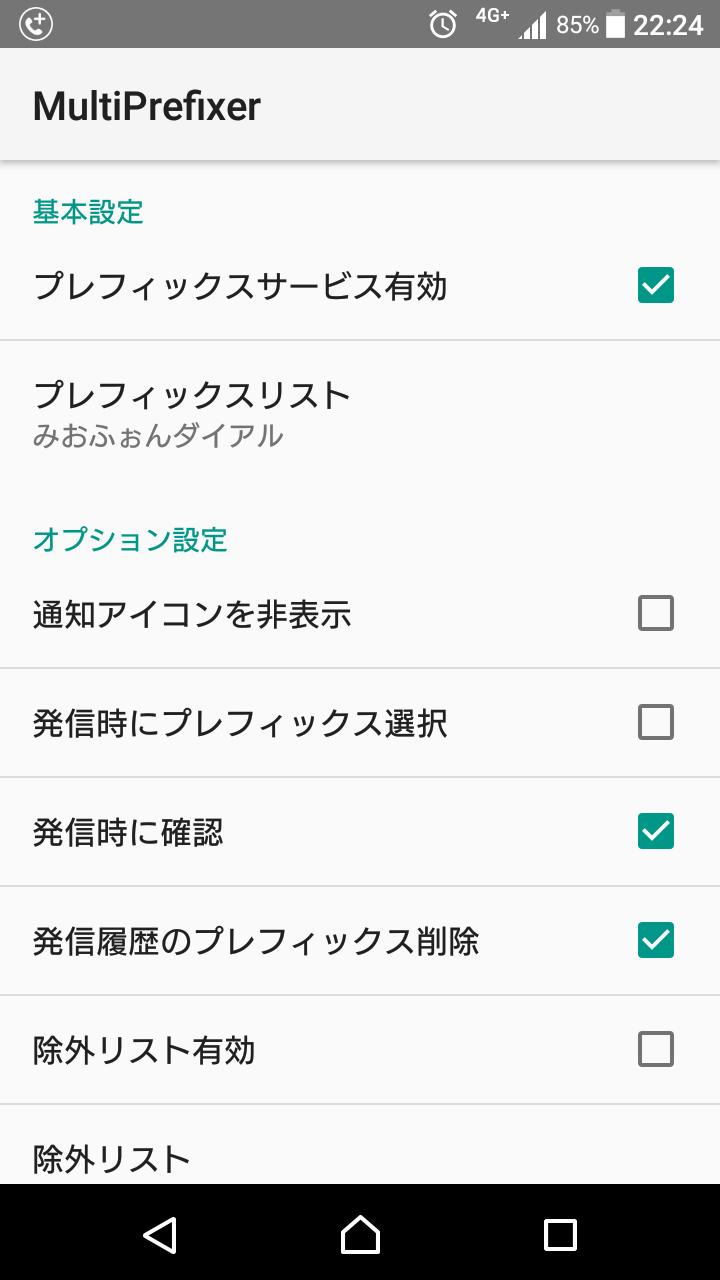
It is an application that call by adding the prefix automatically to the phone number.
■For use
This applies to those who use prefix-type call services such as MVNO (such as Miofor Dial or Rakuten Denwa), or who wish to add any prefix to their phone number to make a call.
■Function overview
・Automatically adds prefix when making a call
・Select prefix when making a call (compatible with Android 7.1)
・Display information about the caller registered as a contact when making a call (compatible with Android 7.1)
・Delete prefix from the phone number in the call history when the call ends
・Setting exclusion numbers for prefixes
・Setting individual prefixes
■How to use
・Start this app and check "Prefix service enabled."
- Select the prefix you want to use from the "Prefix List" and check "Default." If it is not in the list, press the Add button to add it manually.
- Checking "Improved Service Priority" will make it difficult for prefix services to be stopped. (It may be valid only depending on the device you use)
- Please enable option settings as needed.
■Notes
-The function is disabled in Android 7.1 because prefix selection and call confirmation do not work properly when making calls.
-Please exclude this app from the power saving settings in advance for devices that have power saving functions that are unique to manufacturers such as Huawei and ASUS. Also, if there is an automatic startup setting, be sure to grant permission before using it.
- If you do not set a default prefix number in the "Prefix List", the prefix will not be appended when making a call.
- If the phone number is less than four digits on a domestic call, or if it starts with "0120", "0570", "0800", "0180", "#", or "*", a prefix will not be added.
・Telephone numbers starting with a prefix are considered to have already been appended to the prefix.




















 Download(110.98KB)